Your screenshots, named by morning.
A sloth reads them overnight on your own laptop, and Temporal makes sure it finishes, even when something breaks.
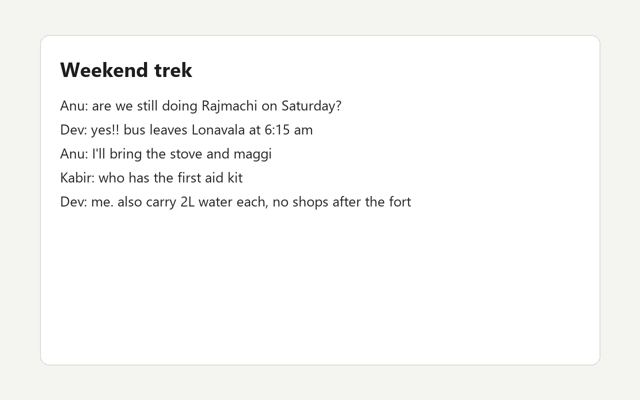
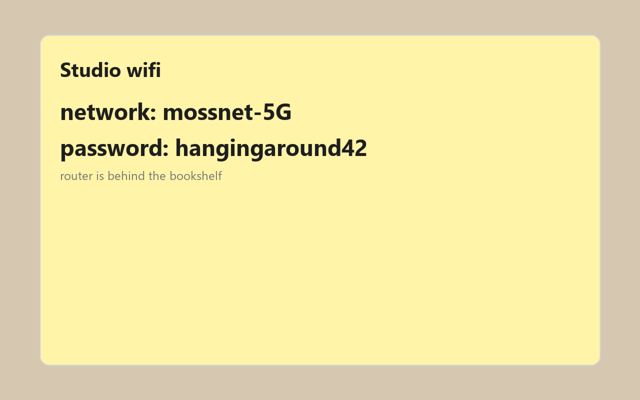
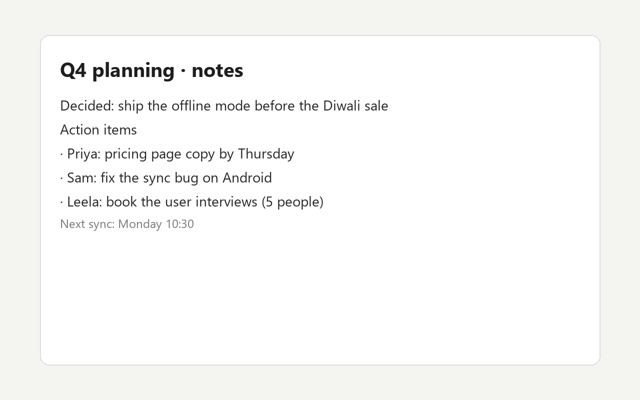
Which one was the Wi-Fi password?
You took every one of them for a reason, and the file name forgot that reason the moment you pressed the keys.
A real run, replayed from its Temporal history
When you go to bed, it wakes up.
First it reads the screenshot with an open OCR model,
then asks a 1B model what to call it.
Gemma 3 1B, running in Ollama, on a laptop with no graphics card.
It's slow, and often wrong.
A name has to use words that are really on the screenshot, so every vague answer fails and Temporal asks again. Five tries in, it gives up and keeps the first words on the screen.
Sometimes the second try is the one.
Halfway through, I pulled the plug.
A new sloth climbed back to the same notch.
Temporal had kept every finished step, so the eight screenshots before it were never read again, and the call that died was retried 18 seconds later, once its heartbeat stopped.
Ten and a half minutes, nineteen names.
The drawing with no words on it was left where it was, since there was nothing to read.
In the morning, say yes, or say nothing.
The plan waits for you. If you're still asleep when the timer runs out, it takes your silence as a yes, and for a whole day after, one click puts every file back.
nappause between screenshots, nothing is lostskip 3leave one screenshot alonevetomove nothing at allundoput everything back, for 24 hoursscheduledo this every night at 01:30
19 screenshots have names. I'll move them in 30 minutes unless you stop me.
Saying nothing counts as yes.
This page is running on your own Slothshot, so you can do it for real.
It never forgets, because Temporal writes everything down.
The workflow only makes decisions, while the slow and flaky work happens in activities, and the moment one of them finishes, its result goes into the workflow's history, so a new worker can replay the night instead of living through it again.
Nothing leaves your laptop.
Screenshots are where Wi-Fi passwords, delivery codes and private chats end up, so every piece that reads them runs here, talks only to localhost, and keeps working on a train with no signal.
Put it to bed tonight.
You need Ollama and about a gigabyte for the model. The installer brings uv, and uv brings its own Python, so there is nothing else to set up.
Install it
Wake it up
slothshot upIt starts Temporal, a worker and this page at localhost:8765, then opens the app.
Point it at your Screenshots folder
Or try it on twenty made-up screenshots first, then go to sleep.